

Connected risk
Risk management
Score and assign risk across assets, the organization, vendors, privacy, and AI—while keeping control relationships visible.
Explore risk managementContinuous compliance. Clear audit readiness.
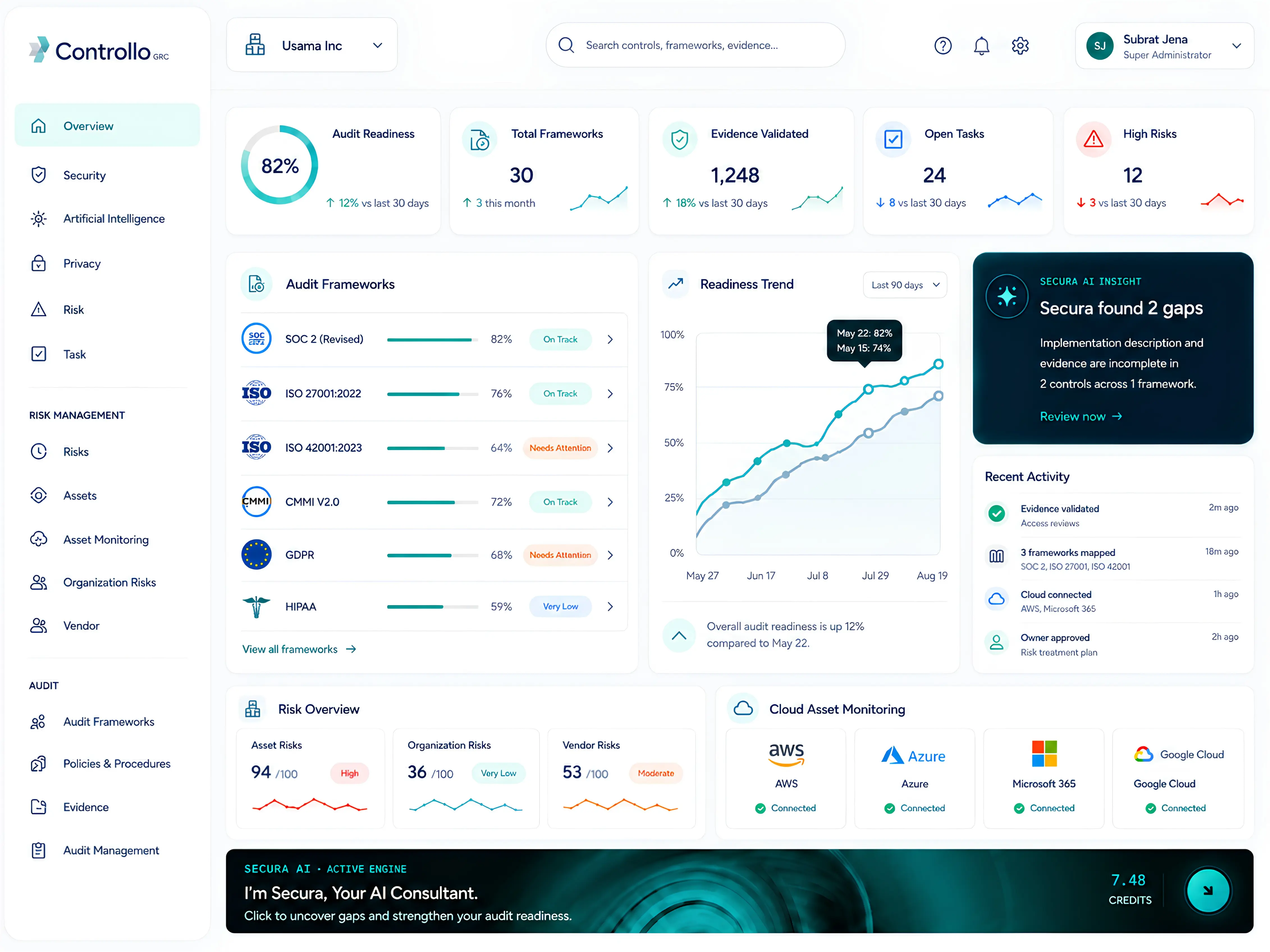
Connect controls to policies, evidence, risks, owners, and live cloud signals across cybersecurity, privacy, and AI governance. Secura AI turns that context into clear, reviewable insights and next actions.
12 controls advanced this week. Three owners need a nudge.
Compliance is always evolving.So are we.
One connected platform
Run cybersecurity, privacy, and AI governance with the same control, evidence, risk, ownership, and audit context underneath.
Cybersecurity operations
Run security compliance across frameworks without separating implementation, policies, evidence, risk, and audit collaboration.
Connected risk
Score and assign risk across assets, the organization, vendors, privacy, and AI—while keeping control relationships visible.
Explore risk managementLive environment context
Bring AWS, Azure, Google Cloud, Microsoft environments, and Google Workspace signals into compliance and risk decisions.
Explore cloud monitoringIntroducing Secura AI
Secura reviews the control requirement alongside its implementation, policies, procedures, and evidence. It shows what is supported, where context is missing, and the next action for an accountable owner to review.
Secura found two gaps in the control review.
Quarterly access review
Risk Management based on NIST
Manage risks across asset, organization, vendor, privacy, and AI. Score risk, assign ownership, and see priorities through connected dashboards and heatmaps.
Explore unified riskFrameworks and connectivity
Related requirements stay connected so policies, evidence, implementation context, and risks can support more than one compliance objective.
Shared control model
Keep common controls reusable while every framework retains its own scope, ownership, and review context.
Framework coverage
Representative paths from the wider Controllo control library.
Connected systems
Current integration surfaces for cloud, identity, endpoint, workflow, and evidence context.
Get started in 7 Days
Choose the compliance framework(s) relevant to your business.
Identify & manage risks. Integrate cloud assets for live visibility.
Add implementation details, policies, procedures, and evidence.
Use Secura AI for fast gap assessments and clearer next actions.
Track progress, work with internal teams and auditors in one place.
From the Controllo blog
Explore current thinking on cybersecurity, privacy, AI governance, and continuous audit readiness.
A practical overview of compliance automation, common tooling, and the role of accountable human review.
Read article: Compliance automation: the smart way to simplify regulatory complianceUnderstand the framework’s core functions and how they support structured privacy-risk management.
Read article: NIST Privacy Framework functions and privacy controlsReview the scope, organizational, technical, and audit choices that influence SOC 2 costs.
Read article: Factors affecting SOC 2 compliance cost in 2026Start with the work in front of you
Start with the frameworks relevant to your business, then connect controls, evidence, risks, and ownership as your assurance program grows.